



Your personal brand is no longer just what you publish. It is also how quickly people can verify that the voice, face, profile, offer, or message they are seeing is really yours.
Most people build a personal brand like visibility is the whole game. They polish the LinkedIn headline, publish sharper posts, add better photos, speak on podcasts, and try to become easier to find.
That still matters. But AI has changed the risk profile. The same public assets that help people trust you can also help someone copy you: your headshot, speaking clips, writing style, bio, client language, job history, voice samples, and social graph.
The better move is to treat personal branding as identity infrastructure: verification points, proof archives, monitoring routines, and a calm response packet that makes the real you easier to confirm than the fake you.
Why AI Impersonation Is a Personal Branding Problem
Impersonation used to be clumsy. A fake profile might have a copied photo, bad grammar, and a strange work history. Now a scammer can generate polished copy, clone a tone, create synthetic profile pictures, imitate a recruiter, fake a founder’s writing style, or use public audio to produce a convincing voice message.
The threat is not only celebrity deepfakes. For everyday professionals, the risk is more ordinary and more annoying: fake LinkedIn profiles, copied freelance profiles, fake job outreach, spoofed emails, synthetic meeting requests, AI-written DMs, and “this person said this” screenshots that are hard to disprove quickly.
The official fraud data shows why this matters. The FTC reported $3.5 billion in losses to imposter scams in 2025. The FBI’s IC3 report recorded more than 22,000 AI-related complaints in 2025 with losses above $893 million.
Those numbers are broader than personal branding, but they point to the same shift: trust is becoming more expensive to prove. If you are a founder, creator, consultant, executive, job seeker, freelancer, or technical expert, your public identity is part of your security surface.
Your goal is to make the authentic version of you easier to verify, harder to confuse, and faster to defend.
The New Rule: Be Discoverable and Verifiable
A strong personal brand used to answer three questions: Who are you? What do you do? Why should people care? Now it needs to answer a fourth: How do I know this is actually you?
That question appears when a prospect gets a message from a profile with your photo, a recruiter sees two similar accounts, or a client receives a strange invoice.
If your real identity is scattered, outdated, or inconsistent, people must guess. If your identity is organized, people can verify.
Build Your Personal Brand Trust Stack
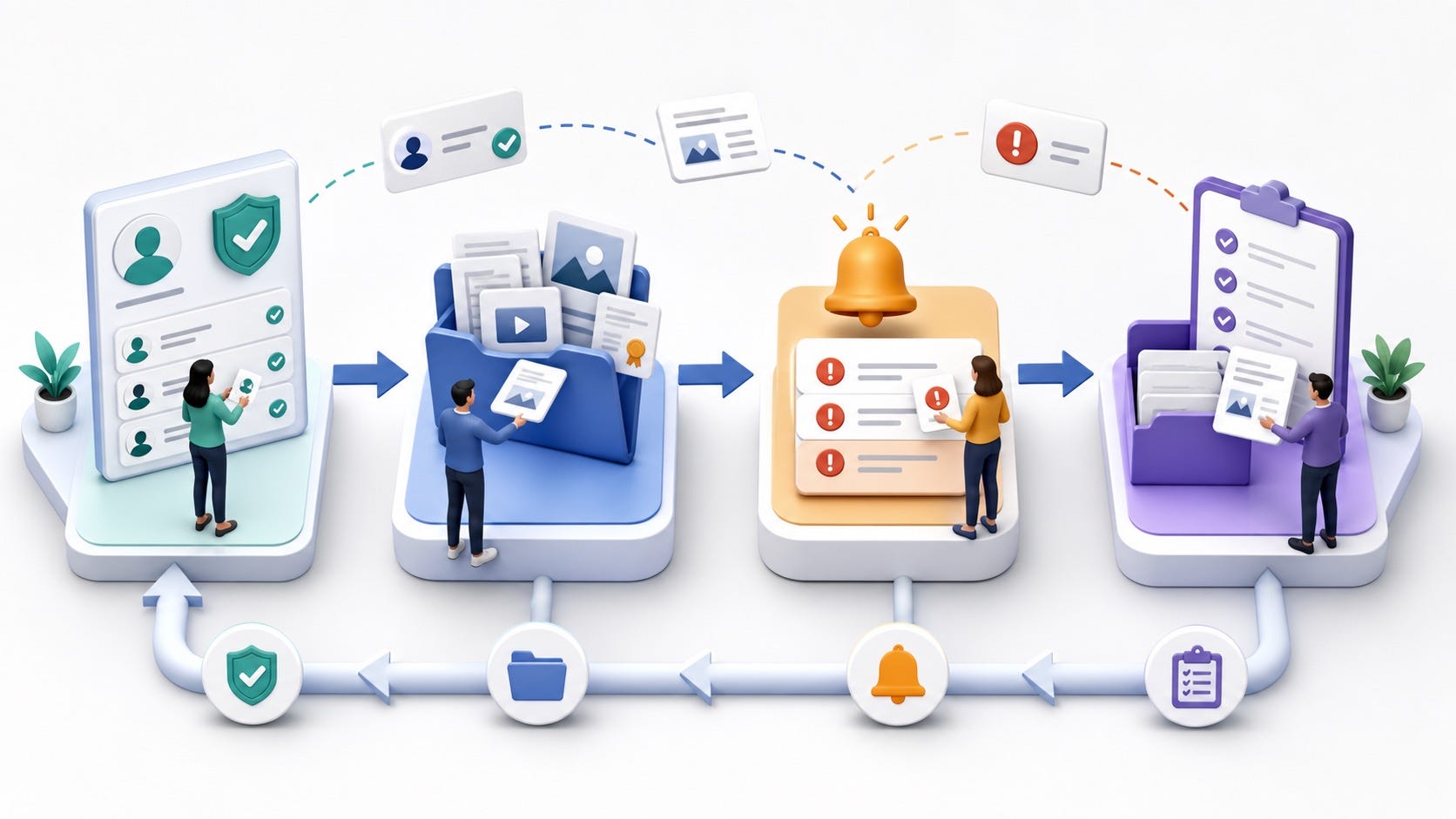
A personal brand trust stack is the set of public and private assets that prove what is real. It should be simple to maintain and clear enough that a stranger can use it without a call.
1. Create a Primary Source of Truth
Pick one page that acts as your official identity hub: a personal website, about page, newsletter profile, portfolio page, or founder page. The format matters less than the function.
This page should include your current bio, official social links, accepted contact methods, a short note on how you usually communicate, and the topics or services you are publicly associated with. If someone sees a suspicious account, this page gives them a reference point.
A useful line might be: “My official profiles are linked here. I do not request payment, personal documents, or confidential company access through unsolicited DMs.” Keep it factual. Avoid sounding paranoid.
2. Verify the Profiles That Matter
Verification is not a complete defense, but it is a useful trust signal. LinkedIn says its verification badge helps signal authenticity, and its help documentation notes that identity, workplace, and educational verifications can be displayed on a profile when available. LinkedIn also says fake profiles may include accounts that impersonate someone or show deceptive behavior, and provides a way to report them through its fake profile reporting guidance.
Do not chase every badge on every platform. Start with the places where people make decisions about you: LinkedIn, your main website or newsletter, your email domain, your GitHub if you are technical, and any creator platform where you receive business inquiries.
3. Make Your Contact Pattern Boring
Scammers thrive on urgency and channel switching. A fake profile says, “Message me on WhatsApp.” A fake recruiter says, “We need your documents today.”
You can reduce confusion by making your normal contact pattern boring and public. State your official email domain. Use consistent calendar links. Keep your payment or contract process predictable. Tell clients that urgent financial or access requests should be verified through a second known channel.
This is not only a security habit. It is a brand habit. Serious professionals are easy to deal with because their process is clear.
Create a Proof Library Before You Need One
The fastest way to defend your reputation is to have evidence ready before anything goes wrong. A proof library is a practical folder of materials that helps people confirm your real identity, work, and communication style.
Include:
Your current professional bio in short, medium, and long versions.
Current approved headshots and images you actually use.
Official profile URLs and screenshots of each profile.
Examples of your real writing, speaking, and public claims.
Known email addresses, domains, and booking links.
A short statement explaining what you will never ask for by DM.
AI can turn your public materials into a clean “identity reference sheet.” Do not upload private documents unless you are comfortable with the tool and settings.
Try this prompt:
Review these public profile links and bio materials. Create a one-page identity reference sheet that lists my official profiles, usual topics, common contact methods, public proof points, and red flags that would suggest a message is not from me. Keep it factual and plain.
Once you have the sheet, store it somewhere private. Revisit it quarterly. If you change roles, launch a new offer, switch domains, or start using AI avatars or synthetic media, update the sheet.
Use AI Without Making Yourself Easy to Copy
AI is useful for personal branding. It can summarize research, turn notes into drafts, polish bios, repurpose talks, and help you publish consistently. The danger is outsourcing so much of your public signal that there is nothing specific left to verify.
If your posts sound like everyone else’s posts, an impersonator does not need to imitate much. They only need a generic bio, a plausible headshot, and familiar feed phrasing.
Protective personal branding is specific. It includes your real examples, decisions, opinions, constraints, client language, mistakes, process, and proof. Specificity is harder to clone because it creates a trail.
Keep a Human Signature
A human signature is the recurring set of details that make your work recognizably yours: a framework, tone, point of view, example set, visual style, or consistent way of explaining tradeoffs.
Ask AI to help you document that signature, not replace it:
Analyze these five pieces of my writing. Identify recurring beliefs, phrases, examples, sentence patterns, and decision rules that make the voice feel like mine. Then create a checklist I can use to review future drafts for authenticity.
This turns AI into a quality-control partner. It also gives you a baseline if you ever need to show that a suspicious post does not match your normal style.
Be Careful With Voice and Face Assets
If you publish podcasts, talks, short videos, webinars, or voice notes, assume your voice is available as training material. You do not need to panic. You do need a verification norm.
For high-stakes requests, do not let voice or video be the only proof. Use known email threads, callback procedures, signed documents, payment controls, and written confirmation through trusted channels. For executives and founders, this should be part of the operating system.
Add Provenance to Important Media
Content provenance will not solve every trust problem, but it is becoming a useful layer. The Coalition for Content Provenance and Authenticity describes C2PA as an open technical standard that helps establish the origin and edits of digital content.
For a personal brand, the practical takeaway is simple: when you create important images, videos, talks, or public proof assets, keep originals, export records, source files, and dates. When possible, use tools that preserve provenance metadata or content credentials.
You may never need this material. But if a manipulated image, fake quote, or cloned video circulates, a clean record of the original asset can help platforms, partners, or employers understand what is real.
Monitor for the Problems That Actually Hurt You
Monitoring does not need to become a second job. The goal is to catch high-risk confusion early.
Set up simple checks for:
Your name plus “LinkedIn,” “consultant,” “founder,” “speaker,” “recruiter,” or your niche.
Reverse image searches of your primary headshots every month or quarter.
Lookalike domains if you have a personal website or business domain.
New social accounts using your name, photo, company name, or common variations.
Unexpected DMs asking whether a message, invoice, pitch, or offer came from you.
AI can summarize monitoring results, but do not let it make final claims. Ask it to organize findings and flag likely matches. Verify manually before accusing anyone or filing reports.
Build an Impersonation Response Packet
The worst time to figure out a response plan is the moment you find a fake account using your face. Build the packet now.
Your response packet should include:
A screenshot checklist: profile URL, visible name, photo, bio, posts, messages, dates, and any scam request.
Your official identity proof: links to real profiles, website, newsletter, employer page, or public work.
Platform reporting links for the places that matter to you.
A short warning note you can send to your network if needed.
A calm public statement template for serious cases.
A private escalation list: platform support, legal counsel, employer security, client contacts, or trusted peers.

Here is a simple network warning template:
A fake account appears to be using my name, photo, or professional details. My official profiles are linked from my main profile page. Please do not respond to unusual payment, hiring, document, or access requests from accounts claiming to be me. If you received a suspicious message, please send me a screenshot through my official email.
Keep the tone boring. Do not amplify the fake profile more than necessary. Do not include speculation. Do not turn a contained problem into a dramatic public thread unless there is real risk to others.
What to Do If Someone Is Already Impersonating You
If you find an active impersonation, move in order.
Capture evidence before reporting. Take screenshots, copy URLs, record dates, and save messages.
Confirm the scope. Is it one account, several accounts, a copied website, a fake invoice, a voice message, or a broader scam?
Report through the platform’s impersonation or fake profile process. General spam reports are often weaker than impersonation reports.
Notify the smallest relevant group first: affected clients, colleagues, followers, or hiring contacts.
Strengthen the real source of truth. Update your official page and make your real profiles easier to identify.
Escalate if money, threats, harassment, private data, employer systems, or legal risk is involved.
Do not argue with the fake account. Do not send identity documents. Do not click links they send. Do not let urgency push you into sloppy evidence collection.
The Ethical Side: Do Not Become the Confusion
There is one more layer: your own AI use should not train people to distrust you.
If you use AI headshots, say so when context requires it. If you use an AI avatar, make sure people know when it is synthetic. If you publish heavily AI-assisted content, keep the human judgment visible.
The point is not to confess every grammar cleanup or outline prompt. The point is to avoid creating a public identity so synthetic that people cannot tell what is actually yours.
Trust is built by using AI in ways that make your real judgment clearer.
A Simple 7-Day Personal Brand Protection Sprint
If this feels large, do not redesign your whole public presence. Do one week of cleanup.
Choose your official source-of-truth page. Verify the major profiles where it is available. Create your proof library. Write your “what I will never ask for by DM” note. Run name, image, and profile searches. Build your response packet. Then ask AI to review your public presence for inconsistency and fix the highest-risk confusion point manually.
This is not glamorous personal branding. But it makes every future piece of visibility safer because people can tell where the real signal lives.
Final Thought
The professionals who win in the AI era will not be the loudest. They will be the easiest to trust: clear positioning, visible proof, recognizable judgment, and identity systems that help people verify what is real.
Build for that reality. Make the real you easy to find and the fake you easy to question.
FAQ
What is AI impersonation in personal branding?
AI impersonation in personal branding happens when someone uses AI tools or copied public assets to imitate your identity, voice, face, writing style, profile, or reputation. It can show up as fake profiles, cloned voice messages, synthetic videos, fake job outreach, or scam messages.
How can I protect my personal brand from AI impersonation?
Make your real identity easier to verify. Maintain an official source-of-truth page, verify important profiles, use consistent contact methods, build a proof library, monitor your name and images, and prepare a response packet.
What should I do if someone creates a fake LinkedIn profile of me?
Capture evidence first: profile URL, screenshots, copied photos, work history, and messages. Then use LinkedIn’s fake profile or impersonation reporting process. If the account is contacting your network, send a calm warning through your official channel.
Should I stop posting photos, videos, or podcasts because of voice cloning and deepfakes?
No. Going silent can make your real identity harder to verify. Instead, publish with better safeguards: keep original files, use consistent channels, avoid high-stakes requests through DMs, and create verification routines for money, access, contracts, or confidential information.
Are AI avatars risky for personal branding?
AI avatars can be useful when they are clearly connected to your real identity and used transparently. They become risky when people cannot tell whether they are seeing you, a synthetic version of you, or someone pretending to be you.
Can Content Credentials stop people from copying me?
Content Credentials and provenance standards cannot stop all copying or impersonation. They can help show the origin and edit history of supported media. Treat provenance as one layer in a broader trust stack, not a complete solution.