


A digital garden gives your expertise somewhere to grow in public—without pretending every useful thought needs to be a polished post.

You do not need another content calendar. You need a place where your ideas can become more credible over time.
That is the quiet advantage of a digital garden for personal branding. Instead of trying to sound finished every time you publish, you create a small, public collection of notes, projects, lessons, and questions that show how you think. The pieces link to one another. They improve as you learn. And they give a client, recruiter, collaborator, or reader a better answer to the question that a polished LinkedIn bio cannot answer on its own: what is it actually like to learn from or work with this person?
A standard portfolio says, “Here is what I made.” A conventional blog says, “Here is what I published.” A digital garden can say both, then add the missing layer: “Here is the thinking, research, and judgment that connects my work.”
This is especially useful now. AI can produce a passable post, bio, or website in minutes. The scarce signal is not clean prose. It is visible judgment: the questions you keep returning to, the trade-offs you notice, the work you revise, and the sources you take seriously.
What a digital garden is—and what it is not
A digital garden is a personal knowledge space published in small, connected pieces. Unlike a blog, it does not need a strict chronology. Unlike a résumé, it does not need to be a complete career history. Unlike a private notes app, it has a deliberate public edge.
Some notes may be tiny: a three-paragraph lesson from an awkward launch, a checklist you wish you had used, or a short explanation of a technical concept. Others may grow into essays, case studies, talks, or products. You decide what becomes public; your journal, client information, and half-baked private work stay private.
The useful distinction is this: a garden is not a content dump. It is not a second brain poured onto the internet. It is a curated trail of evidence around the subjects you want to be known for.
Publish the thinking that helps someone understand your standards. Keep the thinking that would expose a person, a client, or a promise you made.
That boundary matters. A garden earns trust through useful specificity, not through oversharing. If a note includes a client story, remove identifying details, confirm permission, and focus on the transferable lesson. If AI helped you organize or edit it, make sure the claim, example, and point of view remain yours.
Why this format strengthens a personal brand
Most personal branding advice starts with visibility: post more often, pick a niche, keep showing up. Visibility matters, but frequency alone creates a fragile reputation. If your output pauses, the signal disappears. A digital garden gives people a durable place to go deeper.
It works because it turns four hard-to-see qualities into something inspectable:
Range with focus. A founder can connect notes on product discovery, hiring, and customer interviews without pretending to be an expert in everything.
Judgment in motion. A designer can show why a decision changed, not just display the final screen.
Evidence of learning. A job seeker can link coursework, small projects, and reflections into a stronger story than a list of skills.
Intellectual generosity. A consultant can answer recurring questions in public, making their methods easier to evaluate before a call.
Recent conversations in digital-garden communities make the same point from another direction: people want a personal corner of the web that is not controlled by a feed, a template, or a demand for daily performance. The strongest gardens do not look like a public notes app. They feel unmistakably shaped by a real person’s interests and professional standards.
Choose a professional promise before you plant anything
Do not begin with a tool. Begin with the reputation you want the garden to make easier to believe. Write one sentence in this format: “I help this group make better decisions about this recurring problem by bringing this kind of experience or lens.”
For example: “I help early-stage product teams turn messy customer feedback into clearer product bets by combining research discipline with hands-on building.” That is not a slogan. It is a filter. A note belongs in the public garden only if it helps a visitor understand that promise.
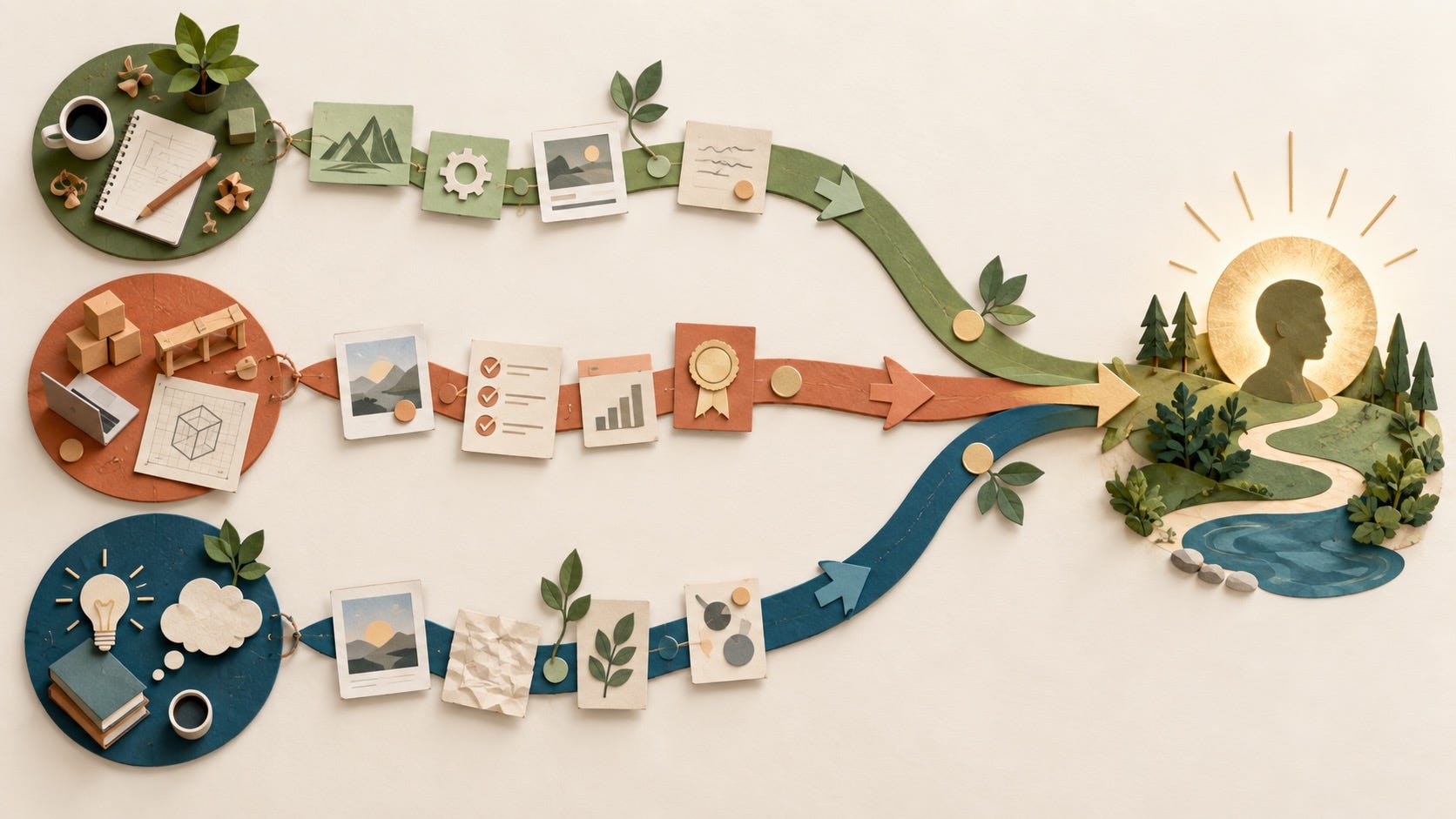
Next, choose three garden paths. These are not generic content pillars. They are trails a curious visitor can follow.
Practice: how you do the work—frameworks, checklists, decisions, and process notes.
Proof: projects, results, anonymized lessons, talks, open-source work, or annotated artifacts.
Perspective: the beliefs, questions, and informed disagreements that make your work recognizable.
A strong garden lets someone enter through any path and quickly discover the others. Your note on a customer interview should lead to a project. Your project should lead to a principle. Your principle should lead to a deeper source or a new question.
Build the minimum useful garden
You do not need one hundred notes. Start with six. The goal is to make the first visit coherent, not to impress people with volume.
1. Make a plain-language front gate
Your home page needs a clear line about who you help, three links to the paths above, and a short “start here” section. Add a current-now note if you want, but do not make a visitor decode your interests before they can understand your work.
2. Publish two evergreen explainers
Write two notes that answer questions your audience asks repeatedly. A data analyst might explain how they audit a dashboard before trusting it. A career-switcher might document how they translated one project into evidence for a new field. These are not hot takes; they are useful doors into your expertise.
3. Add two proof notes
Choose a project and write what changed because of your contribution. Do not inflate outcomes or share protected information. Explain the constraint, the decision, your role, and the lesson. A modest project with clear reasoning beats an impressive logo with no context.
4. Add one point-of-view note
State a belief that guides your work, then earn it with an example. “More AI content is not a content strategy” is an opinion. A note showing how you replace generic output with customer language, source checks, and a human edit is a point of view people can assess.
5. Add one useful link page
Collect the best external resources, people, and tools around your topic, with one sentence on why each deserves attention. This makes the garden more helpful than a self-promotional landing page and signals that you know the wider field.
Use AI as a groundskeeper, not as the gardener
AI is excellent at reducing friction around a garden. It can turn a voice memo into a rough note, suggest connections between two ideas, spot duplicate drafts, make a first-pass tag list, or produce a clearer outline. It should not invent experiences, sources, project outcomes, or testimonials. Those shortcuts make a garden look full while making a reputation hollow.
Try this prompt after you have written a messy but true draft:
You are helping me edit a public note for my professional digital garden. Preserve my concrete claims, uncertainty, and voice. Do not invent examples, outcomes, or citations. Identify: 1) the single takeaway, 2) three phrases that are too vague, 3) one relevant existing note this should link to, and 4) any detail that should remain private. Then offer a tighter outline, not a replacement draft.
This keeps the human work where it matters: deciding what is true, what is useful, and what is safe to make public. It also keeps your garden from becoming a uniform collection of AI-shaped paragraphs.
For an AI-ready personal website, make the structure boringly clear. Give every note a descriptive title, a plain summary, author attribution, visible update dates when a note materially changes, and links to supporting sources or projects. Use meaningful headings rather than clever labels. A person and a search system should both be able to tell what each page is about.
Design for trust, not cleverness
Digital gardens can become a design hobby. Resist that at first. Use a readable typeface, simple navigation, a working search or index, and stable links. A visitor should always know who wrote the page, what stage the idea is in, and where to go next.
Label notes honestly. You might use “seed” for a small observation, “growing” for an idea you are testing, and “evergreen” for a durable guide. The labels are useful only if they reduce confusion. Do not hide weak work behind charming metaphors.
Then decide what your garden should not include. Do not publish proprietary client material. Do not copy research without attribution. Do not use generated images of clients or fabricated quotes to make a thin project feel substantial. If an idea depends on someone else’s trust, ask before sharing it.

Make your garden create opportunities without chasing attention
A garden is not a replacement for relationships. It is a better destination for them. When you comment on a thoughtful post, meet someone after an event, send a follow-up, or apply for an opportunity, share the one note that genuinely helps the other person understand your work. Do not spray the home-page link everywhere.
Watch for high-quality signals rather than raw traffic. Which note earns a detailed reply? Which link gets opened after a conversation? Which page do people mention on calls? Those signals tell you where your expertise is becoming legible.
Once a month, spend thirty minutes tending the garden: fix one dead link, improve one vague paragraph, connect two related notes, retire one stale claim, and publish one small lesson from real work. That rhythm is enough. Your public identity becomes stronger because it keeps accumulating honest, interconnected evidence—not because you found a way to look busy.
The point is not to make your career look like a garden. The point is to give your best thinking a home where it can keep growing, be found when it matters, and prove that there is a real person behind the polished profile.
Frequently asked questions
What is a digital garden for personal branding?
It is a selectively public collection of connected notes, projects, and lessons that shows how you think and work. Unlike a chronological blog or a static portfolio, it can evolve as your knowledge grows.
Is a digital garden better than a portfolio?
They solve different problems. A portfolio is best for quickly showing finished work. A digital garden adds the context, process, and point of view behind that work. Many professionals use a focused portfolio inside a broader garden.
Do I need to know how to code to build a digital garden?
No. You can use a simple website builder, a published note tool, or a static-site template. Choose the option that makes selective publishing easy; a low-friction habit is more valuable than an elaborate setup.
What should I keep private in a public digital garden?
Keep client information, personal journal entries, unreleased work, private correspondence, and anything shared in confidence private. Publish the lesson only when it is accurate, respectful, and safe to share.
Can AI write my digital garden for me?
AI can help organize, edit, and connect notes. It should not manufacture your experiences, sources, results, or opinions. The value of a garden is the judgment it makes visible, so protect that part of the work.
How often should I update a digital garden?
Start with one small improvement or note each month. A garden is valuable because it is tended over time, not because it publishes at the pace of a social feed.