



LinkedIn is moving from self-described expertise to app-validated proof. That changes how smart professionals should build credibility online.
For founders, consultants, creators, job seekers, and AI builders who want a stronger reputation without sounding like a self-promotional bot.
The old LinkedIn playbook was simple: add a long skills list, collect a few endorsements, write a polished headline, and hope people filled in the blanks.
That model is getting weaker fast. AI has made it easy to sound qualified, polished, and strategic. It has also made it easier to look interchangeable. When everyone can write “AI strategist,” “operator,” “thought leader,” or “growth consultant,” the next question is obvious: what proof do you have?
That is why LinkedIn Connected Apps matters. Instead of only letting you claim what you know, LinkedIn is building a system where supported tools can validate how you actually use them. The feature is still new, but the direction is clear: the platform wants more evidence-based credibility and less profile theater.
In an AI-saturated market, proof is the new polish. The professionals who win will not be the ones who sound smartest. They will be the ones whose work is easiest to trust.
If you care about personal branding, this is bigger than a product update. It is a shift in what counts as a trust signal. Here is how to use it well.
What LinkedIn Connected Apps Actually Changes
In January 2026, LinkedIn announced verified skills tied to real product usage from partners like Descript, Lovable, Relay.app, and Replit. On June 17, 2026, LinkedIn expanded that idea with Connected Apps, letting supported software generate dynamic statements about how you use the product on your profile.
The important part is not the badge. It is the logic underneath it.
Your profile is no longer limited to self-description.
Software you use can become part of your public proof layer.
The signal is based on activity and outcomes, not just keywords.
The description is created by the app, not manually rewritten by you.
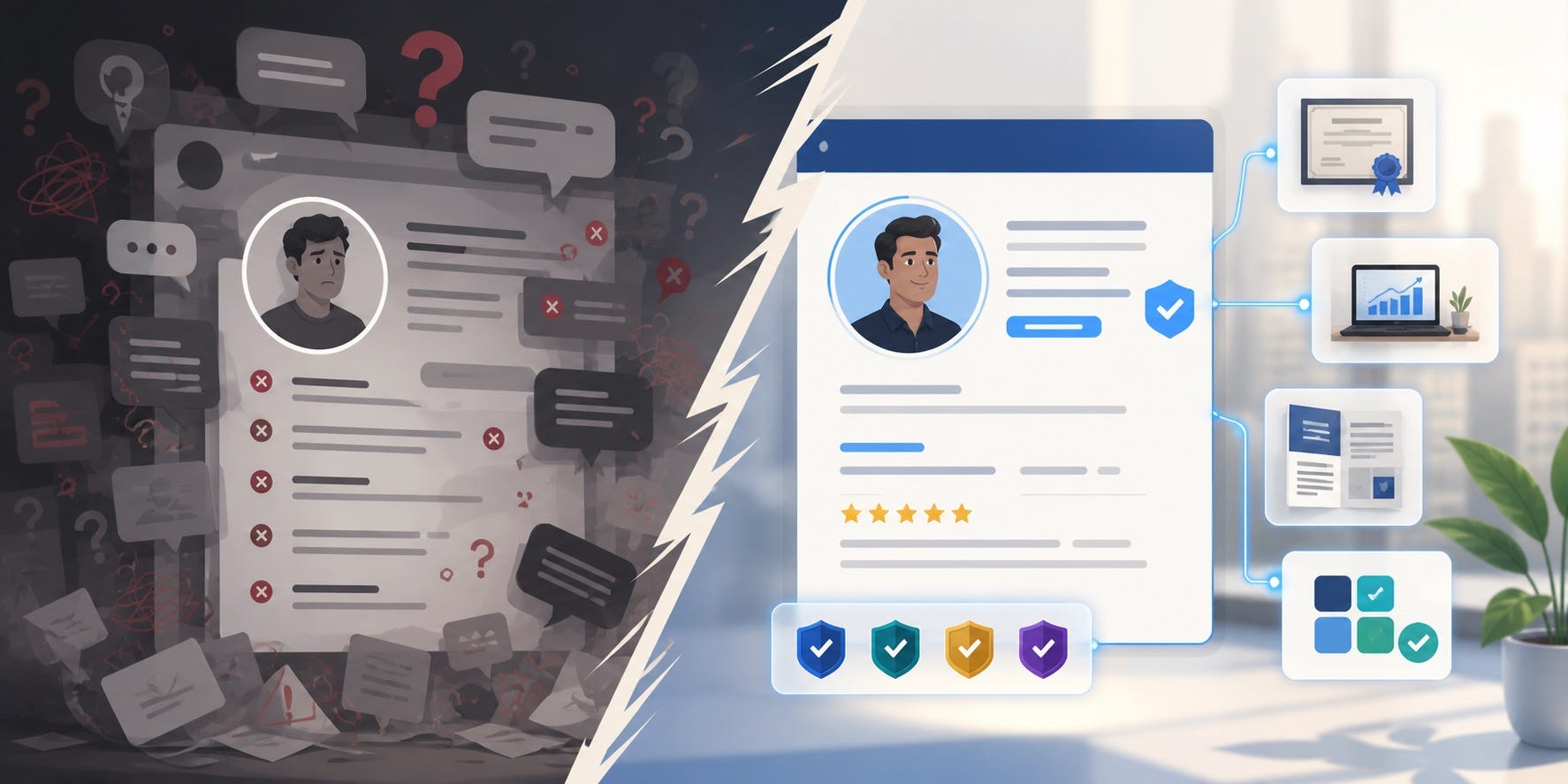
That matters because personal branding has always suffered from a credibility gap. A headline can sound strong while saying almost nothing. A skills section can look impressive while proving very little. Connected Apps does not solve the whole problem, but it pushes LinkedIn toward something more useful: visible evidence.
LinkedIn is also moving more broadly toward verification. The company has said verified members see higher profile views and more connection requests. That does not mean every badge creates trust on its own. It means LinkedIn is rewarding signals that reduce uncertainty.
Why This Matters for Personal Branding More Than It Matters for Recruiting
Most early coverage frames Connected Apps as a hiring feature. That is true, but it is too narrow.
This is really a personal-branding feature because it changes how strangers evaluate you at first glance. Founders, consultants, creators, students, and technical professionals all face the same problem: people meet your profile before they meet your work. Anything that makes your profile feel more believable improves that first impression.
Think about the common trust gaps:
A founder says they use AI deeply, but their profile shows no evidence of actual tools or workflows.
A consultant claims expertise in automation, but every line reads like a generic service page.
A job seeker lists ten software tools, but a recruiter cannot tell whether that means real use or casual exposure.
A creator talks about systems and strategy, but their public footprint is still mostly opinions.
Connected Apps gives you a way to narrow that gap. Not perfectly, and not automatically, but meaningfully.
It also answers a real market frustration. Search results and Reddit discussions show the same pattern again and again: people are skeptical of endorsements, skeptical of shallow badges, and tired of profiles that are all adjectives and no receipts. The trust market has shifted. People want evidence that feels hard to fake.
Where Most People Will Get This Wrong
New trust signals usually create two bad reactions.
1. They ignore the feature entirely
That is a mistake if the apps you use are part of your actual positioning. If your brand depends on being seen as capable with modern AI, automation, design, or technical tools, visible proof helps.
2. They over-index on the feature
This is the bigger mistake. A verified app summary is not a personal brand. It is one component inside a broader credibility system. If your headline is vague, your About section is generic, your Featured section is empty, and your posts show no judgment, Connected Apps will not save you.
The right mindset is simple: use verified skills as supporting evidence, not as the whole story.
A Practical 30-Minute Setup for Stronger Profile Credibility
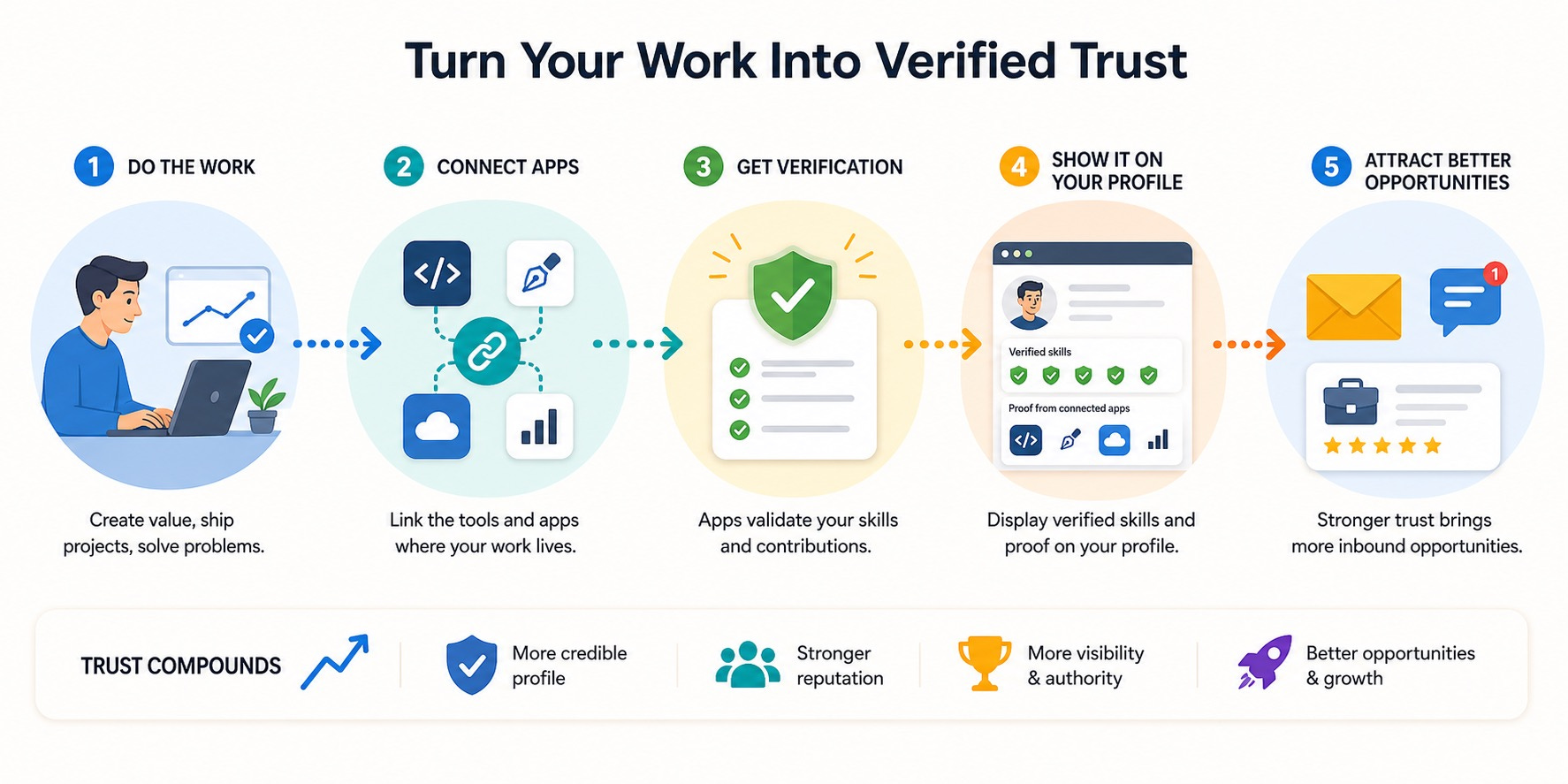
If you want to use LinkedIn Connected Apps well, keep it focused. Do not connect everything. Connect only the tools that support the reputation you want.
Step 1: Pick two or three tools that match your positioning
A founder building in AI might choose tools tied to coding, automation, or prompt-driven production. A consultant might choose tools connected to campaign execution, research, or workflow design. A creator might choose editing, writing, or design tools. The goal is coherence, not volume.
Step 2: Check whether the proof supports the promise
If your headline says you help teams build AI systems, but your connected proof signals mostly show lightweight experimentation, your profile creates tension. That tension is useful. It tells you where your public story is over-claimed.
Step 3: Translate tool proof into outcome language
Raw tool usage is not the point. Outcomes are the point. If the app says you create segmented campaigns, automate workflows, ship product experiments, or publish technical assets, make sure the rest of your profile connects that activity to business value.
Step 4: Upgrade the three profile sections that should echo the proof
Your headline: clarify who you help and what kind of problems you solve.
Your About section: explain your operating style and what kind of work you are known for.
Your Featured section: add one or two artifacts that make the proof tangible.
Step 5: Use one post to narrate the proof
Do not announce the feature like a product fan. Instead, explain what you learned from using the tool and how that changed your workflow. That turns a platform update into a credibility story.
How to Use AI Without Making the Signal Feel Synthetic
This is where many smart people drift into generic AI sameness. They use ChatGPT to rewrite everything until their profile sounds cleaner but less believable.
Use AI for compression, not invention.
A better workflow looks like this:
Collect the connected-app proof, your recent projects, and three examples of work you are proud of.
Ask AI to identify recurring themes in how you operate.
Ask it to convert those themes into plain-language positioning statements.
Edit aggressively so the final language still sounds like you.
Here are a few prompts that actually help:
“Based on these tool-usage summaries and project notes, what capabilities do they prove without exaggeration?”
“Rewrite this About section so it sounds more specific, lower-ego, and more evidence-based.”
“Turn these proof signals into three credible LinkedIn post ideas that show judgment, not just activity.”
Notice the pattern. You are not asking AI to create authority. You are asking it to clarify authority that already exists.
What This Looks Like for Different Kinds of Professionals
For founders
Connected Apps can show that you are not just talking about AI or product execution from a distance. Pair the proof with short case notes, screenshots, or launch writeups. Founder visibility gets stronger when your profile shows that you are in the work, not above it.
For consultants and freelancers
This is a chance to move beyond “trusted by clients” language. Show the systems you actually operate. Then support that with anonymized outcomes, frameworks, or mini case studies. The combination makes you easier to hire.
For creators and educators
Use the feature to support your teaching authority. If you explain AI workflows, design tools, or creator systems, visible usage proof reduces the gap between content and capability.
For job seekers and students
You do not need a huge body of experience to benefit. Even a modest signal can help when it is paired with visible projects. The real move is not “look, I have a badge.” It is “look, I can show how I learn, build, and improve.”
The Risks You Should Take Seriously
There are three traps worth watching.
Tool spam
If your profile becomes a pile of app signals, it starts to feel noisy. More proof is not always more trust. Curate hard.
False precision
App-generated summaries can make skill descriptions look exact. That does not mean they tell the full story. A tool can validate usage, but it cannot explain taste, leadership, ethics, or judgment. You still need human context.
Privacy and reputation mismatch
If a connected-app summary creates a public identity you do not actually want, do not force it. Your personal brand should reflect your direction, not just your software history. Use the features that reinforce your positioning. Skip the ones that distract from it.
The Bigger Personal Branding Lesson
The smartest takeaway is not “everyone should connect more apps.” It is this: the market is rewarding verifiable credibility.
Your reputation is moving toward a proof stack made of identity verification, visible work, app-validated skills, thoughtful writing, strong references, and clean public positioning. Connected Apps is one layer in that stack. A useful one, but still one layer.
If you build your personal brand around claims alone, AI will make you easier to imitate. If you build it around evidence, AI can help you scale clarity without weakening trust.
That is the real opportunity here. Not better badges. Better proof.
A Simple Weekly Cadence That Keeps the Proof Alive
One reason personal brands go stale is that people treat profile credibility as a one-time cleanup project. It works better as a light weekly habit.
Try this 15-minute cadence:
Review one recent project, deliverable, experiment, or client result.
Ask what it proves about how you work, not just what you finished.
Check whether your Connected Apps signals support that story.
Add one proof asset to your Featured section, portfolio, or pinned post.
Publish one short insight about the lesson, method, or decision behind the work.
This matters because trust compounds through consistency. A stranger should be able to scan your profile, see the tools you actually use, notice the kind of work you repeatedly produce, and understand the value you create without needing a sales call to connect the dots.
That is the practical difference between attention and authority. Attention comes from showing up. Authority comes from making your capability legible.
Connected Apps can help with that legibility, especially for professionals working in AI-heavy categories where everyone claims fluency. But the strongest signal is still repetition with evidence. When your profile, your proof assets, and your public ideas all point in the same direction, your personal brand starts to feel coherent. Coherence is what makes trust faster.
FAQ
Do LinkedIn Connected Apps replace endorsements?
No. Endorsements and recommendations still exist, but Connected Apps adds a different kind of signal: proof tied to real tool usage. It is better to think of it as a stronger credibility layer, not a full replacement.
Do verified skills on LinkedIn matter for personal branding?
Yes, if they support the identity you want to build. On their own, they are not enough. Combined with a strong headline, clear positioning, and visible work, they make your profile more believable.
Which professionals should use LinkedIn Connected Apps first?
Founders, consultants, creators, job seekers, and AI builders will likely benefit first because their credibility often depends on proving modern tool fluency and actual execution.
How many Connected Apps should I display on my LinkedIn profile?
Usually two or three is enough. Choose the apps that best support your positioning. Too many can make your profile feel cluttered or overly platform-driven.
Can AI help me turn verified skills into a stronger LinkedIn profile?
Yes, but use AI to sharpen and organize what is already true. Ask it to summarize patterns, tighten language, and turn proof into clearer positioning. Do not use it to inflate your expertise.
What if my work is strong but no supported app matches my niche yet?
Then focus on the broader proof stack: case studies, featured assets, thoughtful posts, recommendations, and clear outcome language. Connected Apps is helpful, but it is not the only way to build trust.
Sources referenced: LinkedIn pressroom updates on verified skills and Connected Apps, plus LinkedIn research on profile verification and trust signals.