


Most people treat LinkedIn like a place to describe themselves. The stronger move is to show your proof. Your Featured section is where that shift happens.
For founders, consultants, job seekers, creators, executives, and technical professionals building trust in public.
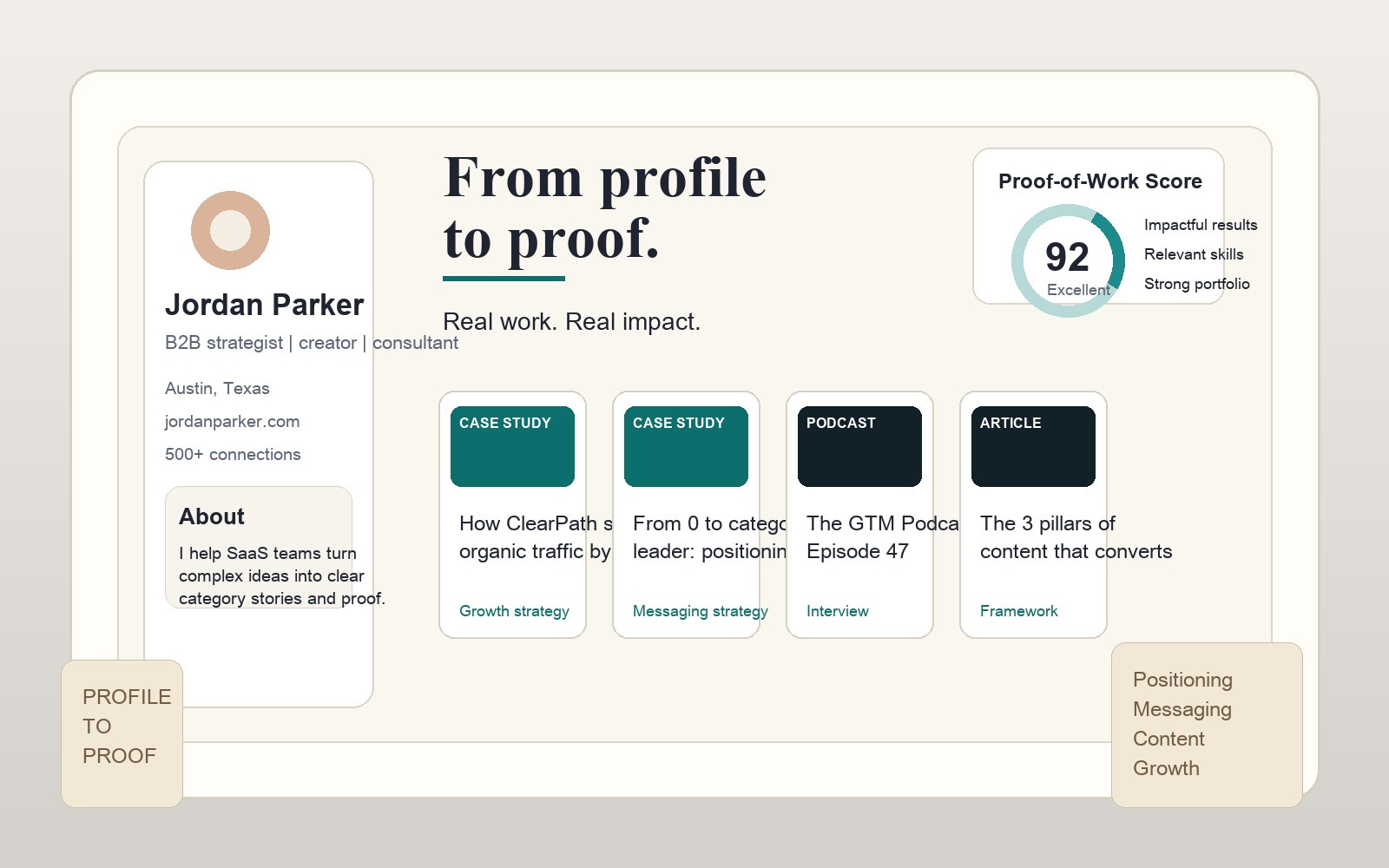
You can spend weeks polishing your headline, rewriting your About section, and debating whether your profile photo looks confident enough. Then a real visitor lands on your profile, scrolls for five seconds, and still has one unanswered question: can this person actually do what they say they do?
That is the job of the LinkedIn Featured section. It is the part of your profile that can convert abstract positioning into visible evidence. Instead of saying you are strategic, thoughtful, credible, technical, creative, or experienced, you can show a case study, a post with meaningful engagement, a presentation, a media mention, a portfolio sample, or a practical resource that proves the claim.
That matters even more now because AI has flattened surface-level personal branding. Plenty of profiles now have polished summaries, clever taglines, and suspiciously perfect language. What stands out is not more polish. What stands out is proof.
If your headline makes a promise, your Featured section should back it up with receipts.
In this guide, I will show you how to use your LinkedIn Featured section for personal branding, how to choose the right assets with AI without sounding generic, and how different professionals can structure the section based on what they want to be known for.
Why the Featured Section Matters More Than Another Post
A lot of personal branding advice tells people to publish more. That is not always wrong, but it is incomplete. Publishing more content before your profile can convert attention into trust is like pouring traffic into a page that has no proof.
Your Featured section sits high on the profile. It usually appears before someone gets deep into your work history. That placement makes it valuable because it gives visitors a fast answer to three questions:
What does this person actually know?
What kind of work or thinking do they want to be known for?
Is there enough evidence here to take the next step?
For a founder, the next step might be a partnership, investor curiosity, or inbound leads. For a consultant, it might be a discovery call. For a job seeker, it might be an interview. For a creator or operator, it might be a speaking invitation, podcast request, or audience follow.
This is why a strong Featured section often does more for personal branding than one extra generic post. It turns interest into conviction.
The Big Mistake: Random Assets With No Story
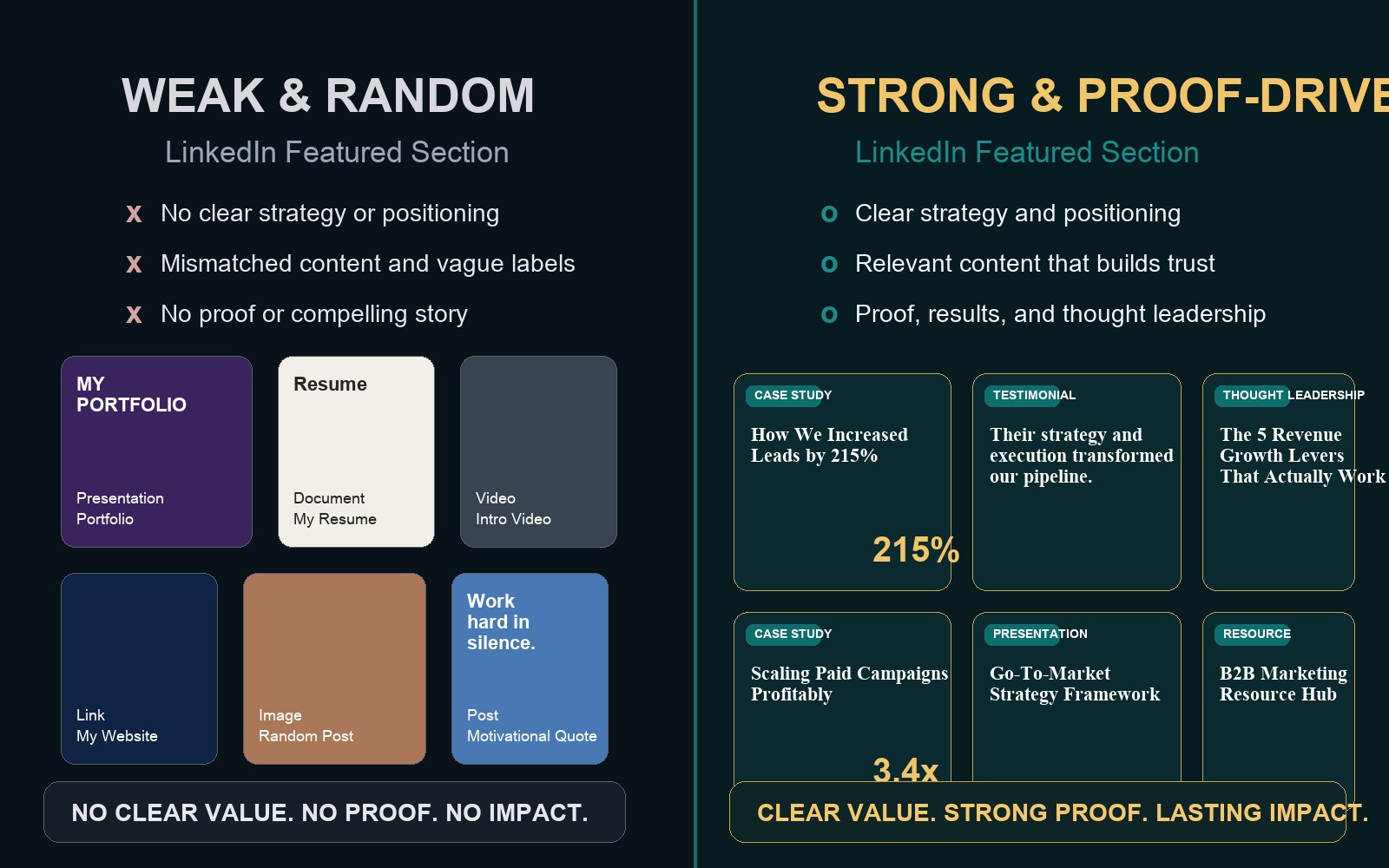
Most weak Featured sections fail for one of two reasons. The first is emptiness. The second is randomness.
Randomness looks like this: one old article, one company link, one promotional image, a PDF nobody wants, and a viral post that has nothing to do with the work you want more of. The visitor sees activity, but not direction.
Your Featured section should not be a scrapbook. It should be a sequence. Think of it as a three-to-five card proof path:
What you do
How you think
What you have done
What others can trust
What they should do next
If your section does not answer those questions, it may be active without being persuasive.
What to Put in Your LinkedIn Featured Section
The best assets are the ones that reduce skepticism. You are looking for proof, not filler. Here are the strongest categories.
1. Proof-of-work assets
This includes case studies, project breakdowns, mockups, slide decks, shipped products, open-source work, dashboards, writing samples, audits, frameworks, before-and-after examples, and portfolio snapshots. These are powerful because they show thinking plus execution.
2. Credibility assets
Media mentions, podcast appearances, guest articles, testimonials, awards, certifications with context, and links to conference appearances all help. Use them selectively. A single relevant credibility asset is stronger than a stack of weak badges.
3. Point-of-view assets
A strong article, post, or short deck that makes your thinking legible can do a lot for personal branding. This is especially useful if your work is strategic, technical, advisory, or hard to show visually.
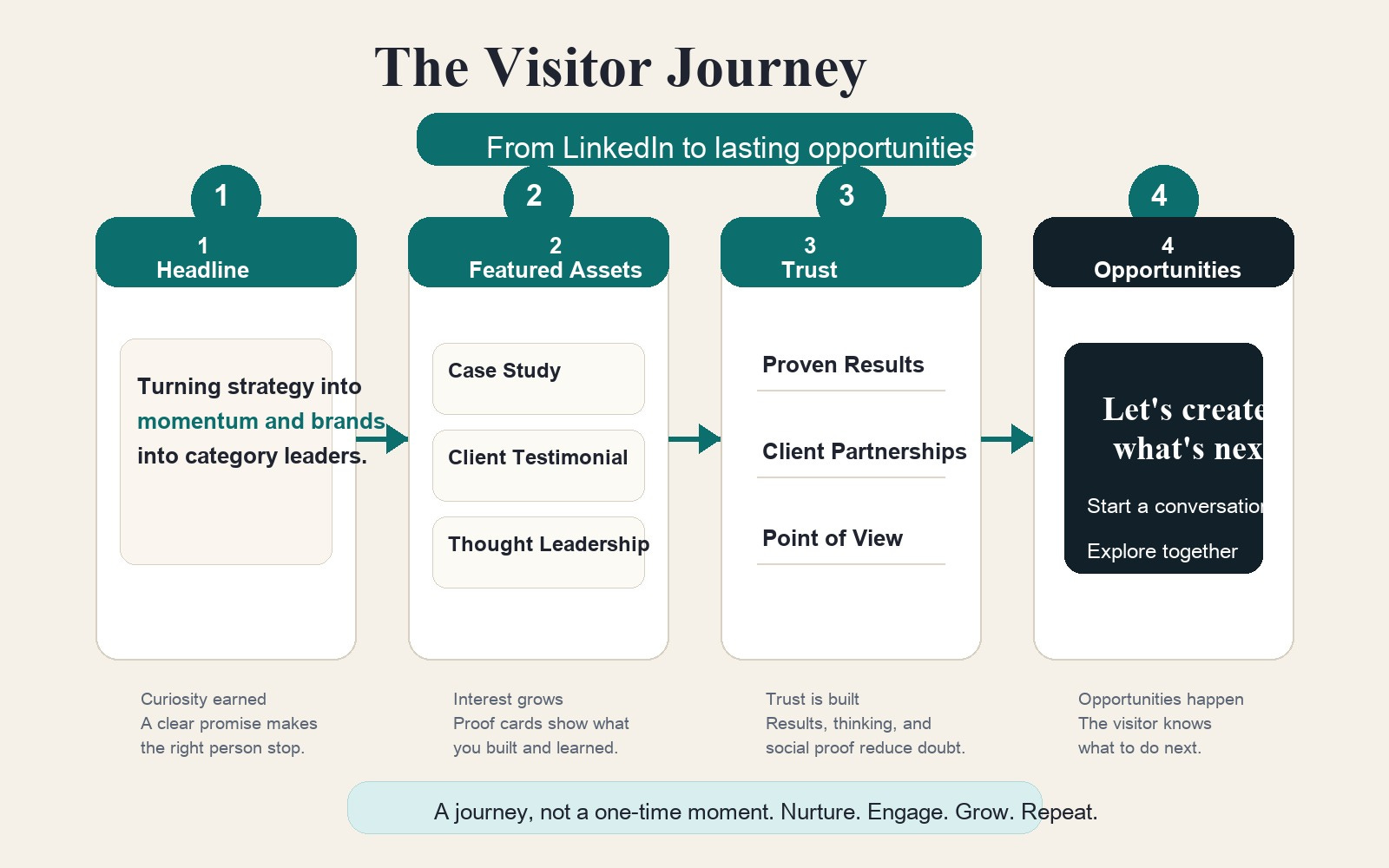
4. Conversion assets
If appropriate, include one practical next-step asset: a newsletter, portfolio page, booking link, downloadable resource, or contact page. This should come after proof, not instead of proof.
If you only remember one rule, make it this: feature assets that make someone say, “Now I get what this person is about.”
How to Structure It for Different Personal Brand Goals
For founders
Lead with a case study, a sharp founder memo, a customer result, or a product narrative. Then include one media or podcast appearance, one trust-building post, and one destination link. The goal is not to look loud. The goal is to look legible and credible.
For consultants and freelancers
Your best Featured section usually includes a problem-solving example, a short framework, a testimonial or result, and one clean call to action. Prospects want evidence that you understand their problem and can produce outcomes.
For job seekers
You do not need a full website. This is where many people overcomplicate the process. A job seeker can use the Featured section to highlight a project sample, a presentation, a writing piece, a GitHub repo, a portfolio PDF, or a mini case study. Recruiters are not always looking for flash. They are looking for signals that you can think, communicate, and ship.
For executives
Use a point-of-view article, a talk or interview, a business result story, and one trust asset like a board bio, keynote clip, or media mention. Executive presence online is rarely about volume. It is about clarity, judgment, and substance.
For technical professionals and AI builders
Show proof that translates. A repo alone is not always enough. Pair technical assets with context. Feature a README-style project page, a short architecture breakdown, a demo, or a thread that explains what problem you solved and why it matters. Raw skill is useful. Interpretable skill is more useful.
How to Use AI Without Making the Section Feel Artificial
This is where many professionals either underuse AI or overuse it. The right move is to use AI as a curator, translator, and packaging assistant, not as a personality substitute.
Use AI for three jobs:
Inventory: ask AI to review your existing posts, PDFs, decks, case studies, talks, threads, portfolio items, and links, then group them by trust value.
Selection: ask AI which three to five assets best support the reputation you want in the next six months.
Reframing: ask AI to rewrite headlines, descriptions, and context blurbs so each asset sounds specific, clear, and useful.
Useful prompt: “I want my LinkedIn profile to position me as a trusted product strategist for B2B SaaS founders. Here are 12 assets I could feature. Rank them by trust-building value, explain why, and suggest three stronger titles for each selected asset.”
Then edit the output yourself. Keep the phrases that sharpen clarity. Delete the ones that sound too polished, too grand, or too universal. Your Featured section should feel tighter because of AI, not more synthetic because of AI.
Another useful AI workflow is gap detection. Paste your headline, About section, and current Featured assets into an AI tool and ask: “What claims am I making that I have not yet proven?” That one question can expose weak spots fast.
A Simple 45-Minute Featured Section Workflow
If your profile needs help now, do this in one sitting.
Write down the one reputation you want your profile to create. Not five. One.
List 10 possible assets you already have: posts, decks, links, documents, case studies, repos, talks, interviews, or samples.
Use AI to rank those assets by proof, relevance, and clarity.
Pick the top three to five.
Retitle each asset so the value is obvious before the click.
Arrange them in order: proof first, then thinking, then credibility, then action.
Remove anything that only exists to make you look busy.
That is enough to make your profile feel dramatically more intentional.
Examples of Strong Featured Assets
Here are examples of the kind of assets that work better than generic self-description:
“How I reduced onboarding time by 37%: a product ops case study”
“Three hiring dashboards I built to help recruiters spot drop-off earlier”
“What I learned from leading 12 customer discovery interviews in one week”
“My conference talk: building AI workflows that teams actually trust”
“Portfolio snapshot: five brand systems I built for early-stage founders”
“Podcast interview: how I help technical teams explain complex work clearly”
Notice the pattern. They are concrete. They imply audience, skill, and outcome. They do not hide behind vague words like passionate, visionary, results-driven, or innovative.
What This Changes About Personal Branding
There is a bigger lesson here. Personal branding is not mainly about broadcasting. It is about making your professional identity easier to trust.
That is why the Featured section matters. It is one of the cleanest places on the internet to reduce ambiguity. It helps people see your judgment, your proof, your body of work, and your relevance to their problem. It also gives your content ecosystem more shape. Your posts stop feeling like isolated updates and start feeling like evidence inside a reputation system.
If you are serious about personal branding in an AI-saturated environment, do not just ask how to produce more. Ask how to make the right proof easier to find.
Your LinkedIn Featured section is one of the fastest answers to that question.
FAQ
What is the best thing to put in a LinkedIn Featured section for personal branding?
The best asset is usually one that combines relevance and proof: a case study, portfolio sample, article, project breakdown, talk, or result-driven post that clearly supports the reputation you want to build.
How many items should I feature on LinkedIn?
Three to five is a strong range for most people. Fewer can feel incomplete. Too many can dilute the story. Aim for a sequence, not a pile.
Can I use my LinkedIn Featured section instead of a personal website?
Yes, especially if you are early in your brand building or job search. It is not a perfect substitute for owned media, but it can function as a lightweight proof-of-work portfolio when chosen carefully.
How do I use AI to improve my LinkedIn Featured section?
Use AI to inventory your existing assets, rank them by trust-building value, rewrite weak titles, and find claims in your profile that still need supporting proof. Then edit the final wording yourself.
What should job seekers put in the LinkedIn Featured section if they have no big brand-name experience?
Use project samples, presentations, writing pieces, GitHub repos, audit examples, mock campaigns, volunteer work, or a clean portfolio PDF. Specific thinking beats famous logos when the proof is clear.
How often should I update my LinkedIn Featured section?
Review it every quarter or after any meaningful new proof appears, such as a talk, publication, shipped project, client result, or portfolio update. A stale section can quietly weaken your positioning.