


A better signature does not try to sell everyone. It gives the right person a clean, believable next step.

Most people treat an email signature as administrative furniture. The reader treats it as a fast answer to three questions: who is this, why should I place them, and what should I do next?
That matters because email is often where a personal brand gets tested, not announced. A former colleague forwards your note. A potential client receives an introduction. A recruiter follows up after seeing your profile. A podcast host asks a quick question. In each case, the recipient is already spending attention on you. Your signature can make the next step easier—or make you look like you pasted a tiny billboard beneath a two-sentence reply.
AI makes it easy to generate polished signature copy. It also makes it easy to add a vague tagline, seven social icons, an invented credential, and a call to action that feels wildly out of proportion to the email. The goal is not a prettier block of contact information. It is a personal brand email signature that helps people orient themselves, find real proof, and choose a sensible next move.
Think of the signature as a credibility handoff, not a conversion funnel.
The three jobs of a useful signature
A strong professional email signature has only three jobs. If an element does not serve one of them, remove it.
1. Identify you without making the recipient decode your work
Your name is not enough when the person may remember you only from a meeting, a mutual introduction, or a crowded inbox. Add a role line that gives useful context. “Consultant” is a category. “Operations consultant for multi-location clinics” is a context. “Product marketer” is a job label. “Product marketer helping B2B teams turn customer research into launches” tells the reader where to put you.
Use language you could defend in a live introduction. It should be specific, plain, and true today. Your signature is not the place for a grand identity claim you hope will become true after enough repetition.
2. Orient them with one small trust signal
Choose one proof element that reduces the reader’s uncertainty. For a freelancer, that might be a portfolio page with three relevant examples. For a founder, it could be a short note explaining the problem your company solves. For a job seeker, it may be a concise project page. For an operator with no public portfolio, it might simply be a LinkedIn profile whose headline and experience are current.
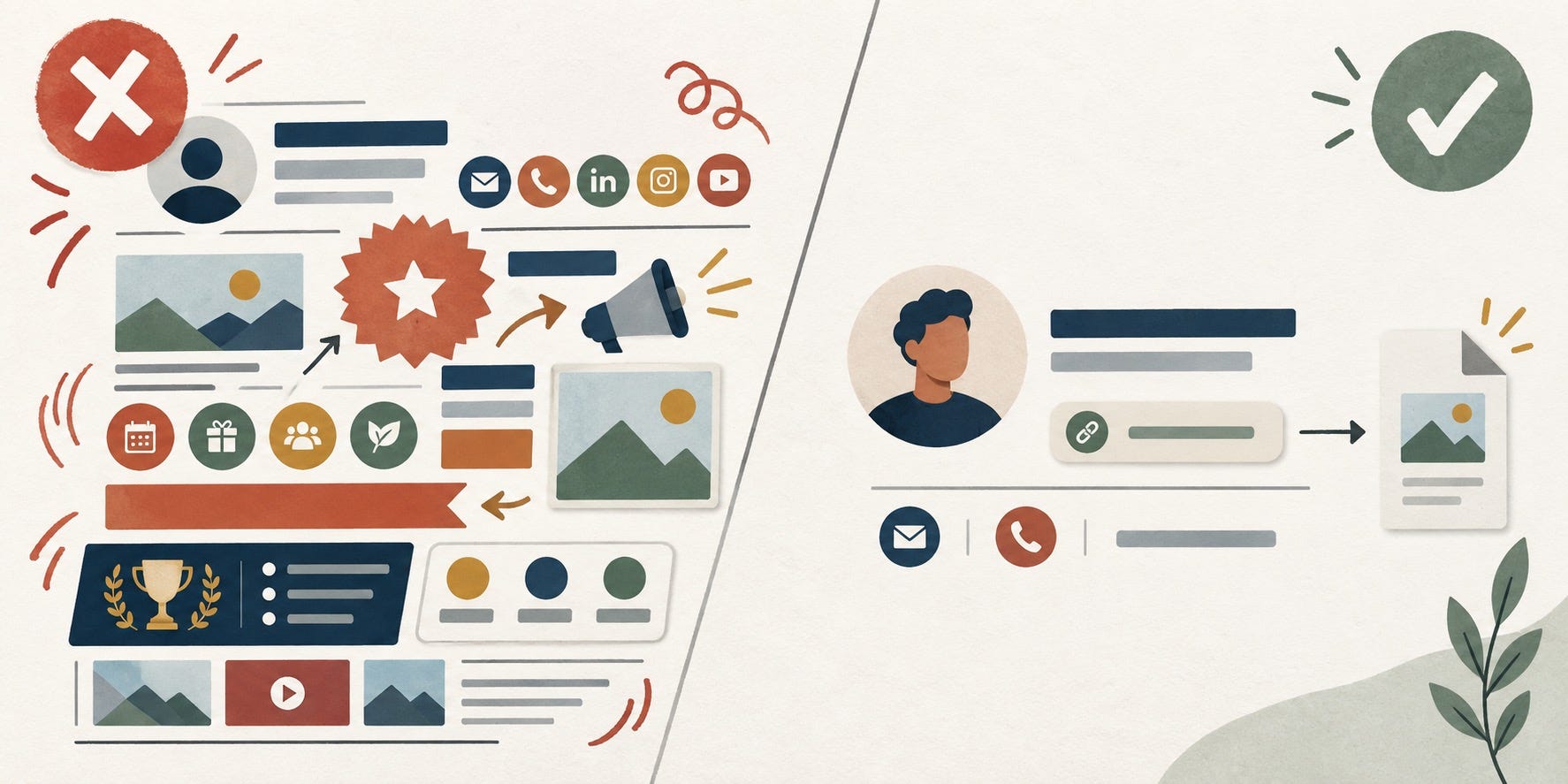
The word to remember is one. A signature with LinkedIn, X, Instagram, YouTube, a booking tool, a newsletter, a blog, a media kit, four badges, and a banner asks the recipient to do the work of choosing. It also creates the uneasy feeling that every exchange is being converted into traffic.
3. Route the right person to the right next step
Your one link should match the kind of conversation you want more of. If you are following up after an event, a short “About my work” page may be perfect. If you are emailing prospective clients, a focused case-study collection is more useful. If you are applying for a role, a project portfolio may be the right route. A booking link can work for an independent consultant, but only when it is clearly appropriate and not an automatic demand for a meeting.
The proof-link test: If someone clicks the link after reading one email from you, will they understand your work better in under two minutes? If not, it is probably a promotion link, not a proof link.
Build the core before you ask AI to polish it
Do not begin with “write my email signature.” Begin with a source card. AI is excellent at arranging verified facts. It is unreliable when asked to infer your positioning from a vague job title, an old résumé, or a handful of prompts. Feed it the ingredients you are willing to stand behind.
Your exact name and preferred name pronunciation, if useful.
Your current role or the work you actually do.
The audience or problem you most want to be associated with.
One verified proof link and what a visitor will find there.
A contact method you genuinely want people to use.
Anything that must not be claimed: unearned titles, confidential clients, outdated awards, or numbers you cannot prove.
Then use AI as an editor with constraints, not a personal-brand oracle. Here is a prompt that is deliberately narrow:
Using only the verified facts below, write three text-first email signature options. Each must have: name, a clear role line of no more than 12 words, one proof-link label, and one contact method. Keep the tone calm and professional. Do not invent credentials, results, clients, awards, or calls to action. Do not use buzzwords such as visionary, passionate, innovative, or thought leader.
Verified facts: [paste source card]
Ask for options, then edit with your own judgment. The best version is rarely the most impressive-sounding one. It is the version a stranger can understand without feeling managed.
Avery Chen
Operations consultant for multi-location clinics
See selected workflow notes → example.com/work
avery@example.com · +1 555 010 0134
Notice what is missing: a motivational quote, a logo the reader cannot see on mobile, a row of icons, and a paragraph about Avery’s mission. The email itself can do the relational work. The signature only needs to support it.
Use three signature modes instead of one permanent block
Consistency does not mean using the exact same signature everywhere. Personal branding works better when the stable identity stays the same while the route changes with context.
The relationship mode
Use this for peers, former colleagues, community conversations, and warm introductions. Keep it minimal: name, role context, and one profile or work link. Its job is recognition, not lead capture. If the body of your message already contains a relevant link, your signature can be even quieter.
The opportunity mode
Use this when you are discussing a project, consulting, speaking, collaboration, or a job. The key change is the proof route. Link to the one asset that answers the likely concern: project examples for a hiring manager, a concise offer page for a referral, or a speaking page for an event organizer. Do not add every possible destination “just in case.”
The employer-safe mode
If your employer has a required signature, use it. Do not quietly turn a company email into a side-business landing page. You can still build a personal brand through clear writing, dependable follow-through, and work you can discuss publicly. Save personal links for a permitted personal account, or use a separate context after checking policy. This boundary protects your reputation more than any clever tagline can.
Turn real work into the right link
The hardest part of a personal brand email signature is not formatting. It is choosing a destination worth clicking. A generic homepage often forces visitors to hunt for evidence. Instead, create a small “proof shelf”: three to five short, truthful artifacts that show how you think and work.
That could include a before-and-after process note with sensitive details removed, a public talk, a project walkthrough, a research memo, an open-source contribution, a case study you are allowed to name, or a page explaining your area of focus. The standard is not glamour. It is relevance and clarity.
AI can help you find a clean label for the link. It should not manufacture the proof behind it. Try this review prompt:
Here is the page I plan to link in my email signature and the email contexts where I use it. Suggest five labels of four words or fewer. Prefer accurate labels over promotional ones. Flag any claim in the page that needs evidence, clearer scope, permission, or a date.
Page summary: [paste]
Contexts: [paste]
Good labels are boring in the best way: “Selected work,” “Project notes,” “Research brief,” or “Speaking topics.” “See how I transform businesses” is not a label; it is an unverified promise.
Common credibility leaks
Small details can make a signature feel less trustworthy than a blank one. Watch for these:
Credential confetti: a long trail of abbreviations, old courses, and badges. Include a designation only when it helps the recipient understand a relevant qualification.
Dead or mismatched links: a portfolio that no longer reflects your work, a social profile you abandoned, or a company page that says something different from your email.
Fake intimacy: an upbeat booking link in every reply, an oversized headshot, or a banner that makes a helpful exchange feel like a campaign.
AI-polished vagueness: phrases such as “driving meaningful impact” that hide rather than clarify what you do.
Fragile design: image-only signatures, tiny type, elaborate HTML, or color choices that fail in dark mode and on phones.
A text-first signature is usually the safest default. It loads quickly, survives forwarding, works with screen readers more reliably, and does not turn a long thread into a stack of graphics. If you add a photo or small logo, test it as optional decoration, not as the thing that carries meaning.

Respect the thread you are in
Every reply does not need your full personal brand email signature. On the first message in a new conversation, it can orient the recipient. On a long back-and-forth, a full block repeats information they already have and pushes the actual conversation upward. Many professionals use a full version for new threads and a shorter version—or just a name—for replies.
This is not a hard rule. Some fields require contact details on every message, and accessibility or employer policy may shape the answer. The principle is simple: make it easier to communicate. If your signature makes the reader scroll past it repeatedly, it is not serving them.
Run a five-minute reality check
Before you make a signature your default, send it to yourself and check it on a phone, a desktop inbox, and a forwarded message. Click the link. Read it under the body copy. Ask a trusted colleague one question: “After seeing this, what do you think I do and where would you click?”
If they cannot answer quickly, simplify. If they say it feels salesy, remove a link before you rewrite a sentence. If they think you do something you do not do, replace the role line with plainer language. A personal brand is built through repeated accurate impressions. Your signature is one of the easiest places to practice accuracy.
The payoff is modest and real. You will not create a career from a neat sign-off. You will stop wasting the tiny moments when someone is already curious enough to read your name.
FAQ: Personal brand email signatures
What should a personal brand email signature include?
Start with your name, a clear current role, one contact method, and one relevant proof link. Add only details that help the recipient understand or reach you.
Should I put LinkedIn in my email signature?
Yes, if the profile is current and it is the best place for the recipient to verify your experience. If a focused portfolio or project page is more useful, choose that instead.
How many links should an email signature have?
One strong link is usually enough. Add a second only when it serves a clearly different need, such as a portfolio plus a direct calendar for an independent consultant.
Can I use AI to write a professional email signature?
Yes. Give AI verified facts and strict limits, then review every claim yourself. Never let it invent titles, clients, results, certifications, or a tone you would not use in person.
Should job seekers use an email signature?
A clean signature can help a recruiter or contact understand your focus and find a relevant project page. Keep it restrained and use a personal account rather than altering an employer-required signature.
Do I need a photo or logo in my email signature?
No. A text-first version is often clearer and more reliable. Add an image only if it is current, genuinely useful, small, and tested in the inboxes your recipients use.